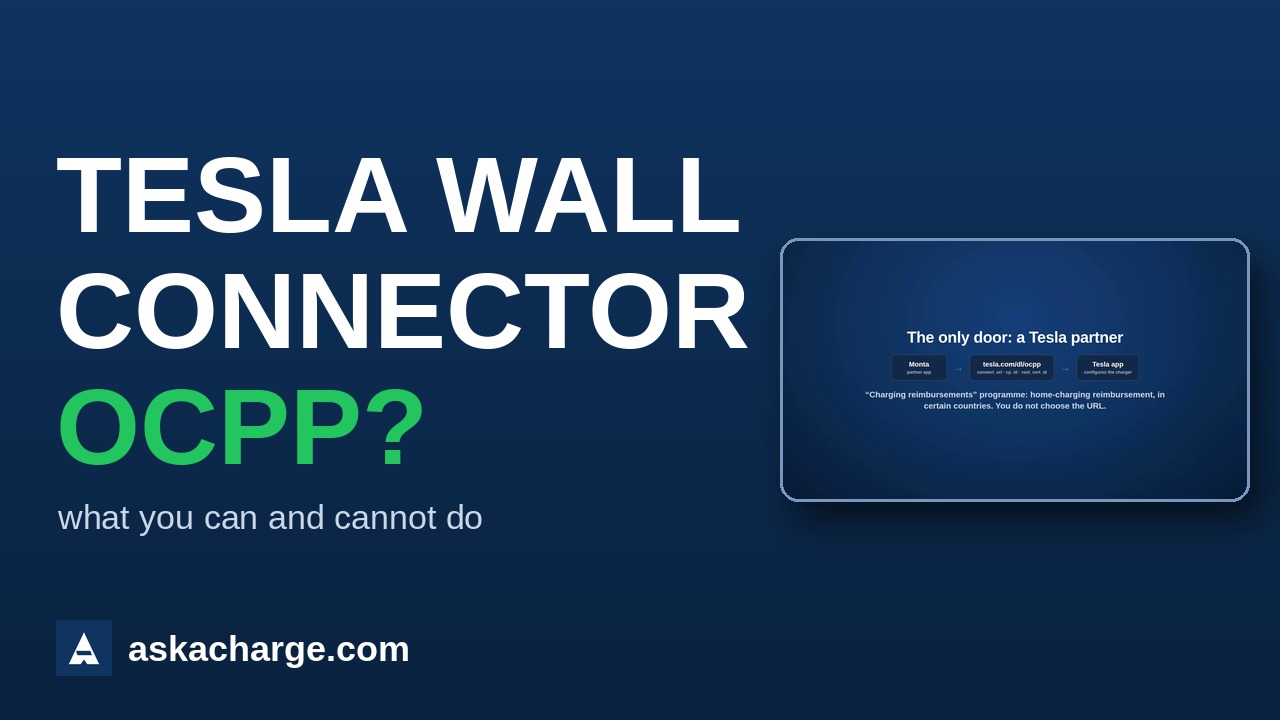
Where the setting lives (it does not)
Nowhere you can reach. The Wall Connector Gen 3 runs firmware with OCPP 1.6 certified by the Open Charge Alliance (certificate OCA.0016.0900, version 24.36.3, October 2024), but neither the Tesla app nor the local commissioning page (192.168.92.1) has a field for a server URL. The only route is Tesla's Charging reimbursements programme: a partner platform —today only Monta, and only in certain countries— opens the Tesla app with a link (tesla.com/dl/ocpp#connect_url=…&cp_id=…&auth_key=…&root_cert_id=…) carrying the URL, identity, key and a root certificate fixed by Tesla. Users who edited that link by hand with their own server (April 2026) got the app to accept it, but the charger never connected.
What you can do today
- Check what you have. Gen 3 and Gen 3 MID (Europe): OCPP in the firmware, no field. Universal Wall Connector (North America): some integrators publish that its app has an "OCPP" option with URL and identity; US users with that model say they cannot find it. As of this guide we have not been able to confirm it on a unit.
- If what you need is for your employer to pay for home charging, the official route is Monta: add the charger by serial number in their app and jump to the Tesla app, which does the configuration. Only in programme countries.
- If you need to manage it with your platform —tariffs, cards, several units, invoicing— it cannot be done with a Wall Connector today. There is no alternative firmware and no network trick that opens it: the link requires a root certificate only Tesla registers.
- If the charger is for a business and you have not bought it yet, choose one with an editable OCPP URL and ask for it in writing. The brands below are checked one by one.
- If Tesla opens the field, this page changes the same day. It is dated in the header.
Where it usually fails
- "OCPP certified" on a datasheet says the firmware passed the tests; it does not say you can enter the URL. They are two different things, and with Tesla the difference is especially clear.
- When the setting does appear (reimbursement programme), it requires being the charger's owner in the Tesla app; an added driver does not see it.
- The Wall Connector only joins 2.4 GHz Wi-Fi. Not the issue here, but it is the first thing you will be asked.
If your brand isn't here
The procedure is always the same; what changes is where the setting lives: look in the manufacturer's app, in the charger's web interface (by its IP) or in the installer software for a section called OCPP, Back office, Central System or Server. You need to be able to enter the URL and, nearly always, the identity. If the field is locked or missing, the manufacturer has tied the charger to its own platform: read what to do when the manufacturer locks or switches off its server.
Other brands
Related reading
- OCPP errors: why your charger won't connect or charge, and how to fix it
- Your charger manufacturer shut down: how to get back in control
- Charge point management software: what it is, what it costs and how to choose
- Your EV chargers in Home Assistant, without giving up billing
- askacharge.com technical documentation (OCPP, API)